
What Exactly Counts As One Product In The Box?
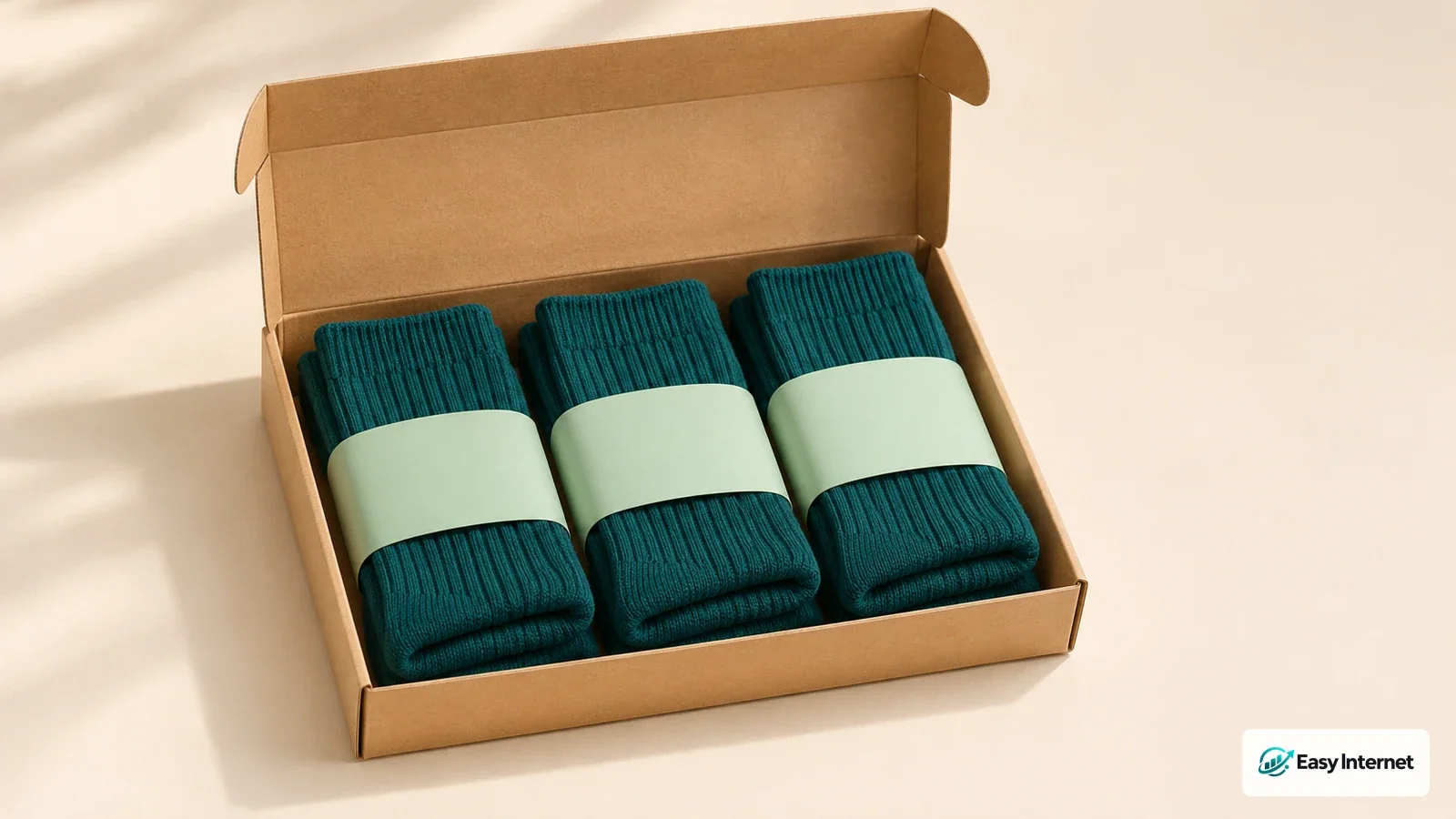
Start with the item you received from the supplier. In the sock example, one pair with the manufacturer’s paper band around it is one product. Take three pairs in the same style, color, and size, put them in a box, and list that box for sale. You’ve created your own multipack. Enter 3 for the pack count. There are six individual socks inside, but a single sock was never a separate product in this offer.
Now suppose the manufacturer sells a sealed pack of three pairs. If you put two of those packs together, the buyer gets six pairs and the attribute value is 2. “Two packs of three pairs each” is more informative here than “six-pack.” A shopper who wants to split the purchase between two people knows how the socks come packaged. Your catalog editor can also see why the number sent to Google differs from the number of pairs in the title.
A shipping carton tells you little about the manufacturer’s selling unit. A supplier might deliver dozens of individually packaged products to your store in one carton. Check what a shopper gets when they order one item from the range. If you’re unsure, ask your buyer for the manufacturer’s item description or a photo of the retail packaging. You can settle that question before anyone touches the product feed.
When Does A Gift Set Count As A Bundle?
Retailers also use the word “pack” for gifts containing different items. The distinction matters in Merchant Center. Suppose you pair an insulated bottle with a matching carrying case and sell them together. The bottle is the main product and the case is its accessory. For this retailer-created offer, the relevant attribute is is_bundle and the value is yes. Entering 2 for multipack would describe two identical bottles, a different purchase altogether.
Who assembled the set matters here, too. If the bottle and case come together in a manufacturer-defined bundle, Google says to omit the bundle attribute. Some sets have no clear main product. A matching hat and scarf, for instance, can be sold together without either item serving as an accessory to the other. The marketing team’s name for the set isn’t enough to classify it automatically as a bundle with a main product.
Give the people entering products one question they can answer in plain language. What goes into the box when someone places a single order? If the answer starts with “it depends on the color or model,” open the specific offer you’re reviewing and check its contents. Otherwise, you could choose a classification that fits one option on the page and inadvertently apply it to every option.
What Price And Title Should The Shopper See?
Say you sell a single pair of socks and also offer three pairs for one total price. Open the link in the feed entry for the three-pack as though this were your first visit to the store. Which option is selected? What do you see next to the add-to-cart button? Add the offer to the cart once. You should have one three-pack at the price you submitted for it. If the page starts with a single pair selected, you’ve found a mismatch even if the multipack value is correct.
Google requires the price and currency you submit to match the landing page and checkout. You can show a price per pair for comparison. If the offer can only be purchased as a three-pack, though, the price field must give the price for all three pairs. Look closely at pages that display the unit price in large type near the title and tuck the total below the quantity selector. Ask someone unfamiliar with the page how much one click will cost and what they expect to receive.
Read the title on its own as well. “Black athletic socks” could describe a single pair or a three-pack. Adding “pack of three pairs” tells the shopper what the price covers. When you sell the same offer in several languages, localizing product pages for each market includes choosing the right words for the units you sell. Give translators the pack contents so that three pairs don’t turn into three individual items.
Which Rules Apply To An Israeli Store Selling Abroad?
Google’s help page distinguishes between free listings and Shopping ads. For free listings, the attribute is required when the store creates a multipack of identical products. For Shopping ads, the stated requirement for that kind of pack depends on the target country. France, Germany, and the United States are on Google’s list. Israel is absent from the list of countries where the attribute is required for ads. The location of the company running the campaign doesn’t tell you which market it targets.
If your team manages Israeli and French sales from the same office, pick one product offered in both markets. Check the destination and whether its data is used for ads or free listings. Record both details next to each offer. Then a catalog editor checking the ad rules for Israel won’t assume that French free listings are also exempt. You can include this check in your international SEO work before extending the catalog to another country.
How Can You Catch A Bad Rule Before It Reaches The Whole Catalog?
Open three offers side by side. Choose a manufacturer’s pack, a multipack of identical products your store assembled, and a bundle you put together from a main product and an accessory. For each one, record what leaves the warehouse, what’s selected on the page, what the checkout charges, and which values your store actually sends. That last detail matters. The description in your store system might be accurate while the export rule pulls the number of items that fit inside a shipping carton.
When you spot a discrepancy, follow one offer until you find where the count changes. If the supplier’s field is correct and only the exported value is wrong, editing the product title by hand won’t fix the mapping. If the feed is correct but the link opens with the cheaper option selected, give the link to your web team and ask them to check the default selection. Return to those same three offers after the fix. You’ll see whether you solved the multipack problem while preserving the correct data for manufacturer packs.
The same exercise can help a team working on GEO (Generative Engine Optimization). Ask the person responsible for content to write one sentence explaining what the customer gets and how much they pay. When that sentence, the page, and the product data describe the same purchase, your writers, customer service staff, and the people preparing your next catalog all have a description they can use.
Source: Google Merchant Center guidance on the multipack attribute (opens in a new tab)